


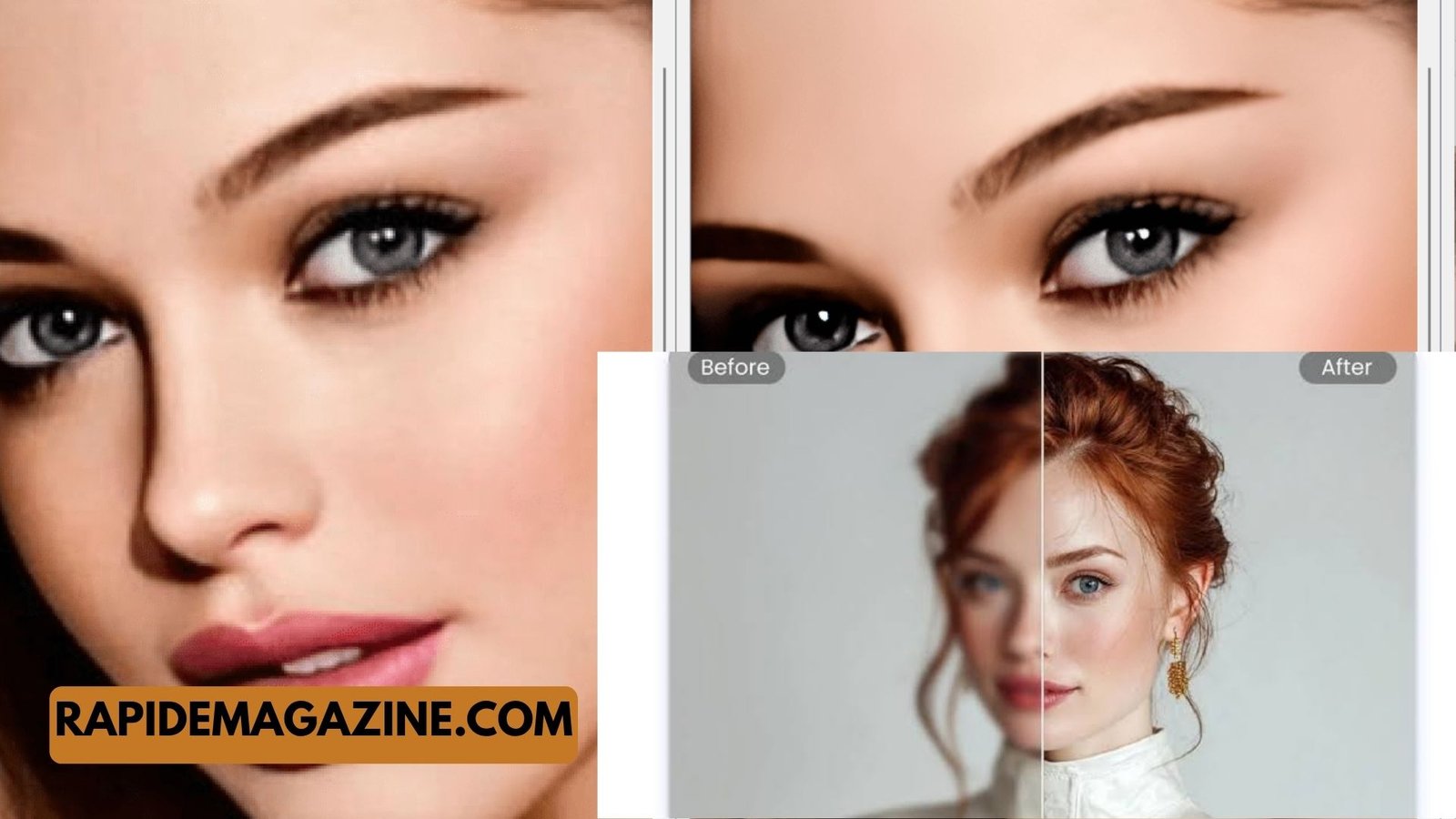
A photo enhancer is a tool that improves the quality of an image without needing deep editing skills. In simple words, it takes a normal or low-quality photo and makes it look clearer, sharper, and more professional. Today, most modern tools are called AI photo enhancers, because they use artificial intelligence to fix and improve photos automatically. These tools can adjust brightness, remove blur, fix colors, and even repair old damaged pictures.
- How AI Photo Enhancer Works (Simple Technology Explained)
- Types of Photo Enhancer Tools (AI Photo Enhancer Options)
- Key Features of a Photo Enhancer (What Makes It Powerful)
- Benefits of Using a Photo Enhancer (Why People Use It)
- How to Use a Photo Enhancer (Step-by-Step Guide)
- Use Cases and Future of Photo Enhancer Technology
- FAQs About Photo Enhancer
Unlike traditional editing where a person manually changes every detail, a photo enhancer works automatically in seconds. It studies the image, understands what is missing or weak, and then rebuilds details using smart algorithms. This is why even blurry smartphone photos or old printed pictures can look new again. A good photo enhancer does not just apply filters; it actually improves image quality in a natural way.
A simple example is when you take a photo in low light, and it looks grainy or unclear. A photo enhancer AI tool can reduce that noise, brighten the image, and bring out hidden details that were not visible before. This makes it very useful for everyday users, photographers, online sellers, and social media creators.
| Quick Information: Photo Enhancer Basics | Details |
|---|---|
| What it does | Improves image quality automatically |
| Main technology | Artificial Intelligence (AI) |
| Best for | Blurry, low-light, or old photos |
| Skill required | None (easy for beginners) |
In today’s digital world, where visuals matter a lot, a photo enhancer has become an important tool. It helps people create better-looking images without needing professional editing skills or expensive software. This is why it is widely used in mobile apps, online platforms, and desktop software.
How AI Photo Enhancer Works (Simple Technology Explained)
A photo enhancer using AI works like a smart brain that studies your image and tries to understand what should look better. It does not just add filters or effects. Instead, it analyzes faces, objects, colors, lighting, and background details. Then it rebuilds missing parts of the image in a realistic way. This makes the final result look natural and clean instead of artificial.
The process starts when you upload a photo. The system scans it in seconds and checks for issues like blur, noise, low resolution, or poor lighting. After that, it compares your image with millions of trained examples. Based on that learning, it improves the picture step by step until it looks clearer and sharper.
| Quick Information: AI Photo Enhancer Process | Details |
|---|---|
| Step 1 | Upload image |
| Step 2 | AI scans quality issues |
| Step 3 | Deep learning analysis |
| Step 4 | Detail reconstruction |
| Step 5 | Enhanced image output |
This process feels fast, but behind the scenes it is very advanced. The AI is trained on huge datasets of high-quality images, so it learns how real-world objects should look. That is why it can restore missing details like skin texture, hair strands, or background edges in a natural way. This is also what makes a photo enhancer AI tool much more powerful than normal editing apps.
Types of Photo Enhancer Tools (AI Photo Enhancer Options)
There are different types of photo enhancer tools, and each one is designed for a specific need. Some are simple apps for mobile users, while others are advanced software for professionals. The most common type today is the AI-based photo enhancer, which works automatically with one click. These tools are very popular because they save time and give good results even for beginners.
Online photo enhancers are also widely used. They run in a browser, so you don’t need to install anything. You just upload your image, and the system enhances it instantly. Mobile apps are another popular option because people often edit photos directly from their phones for social media posts.
| Quick Information: Types of Photo Enhancers | Details |
|---|---|
| Online tools | Works in browser, no install needed |
| Mobile apps | Easy editing on smartphones |
| Desktop software | Advanced control and high quality |
| AI restoration tools | Fix old or damaged photos |
Each type has its own strength. For example, mobile apps are great for quick edits, while desktop tools are better for professional work. AI restoration tools are especially useful for old family photos or damaged prints. Choosing the right photo enhancer depends on what kind of image you want to improve and how much control you need.
Key Features of a Photo Enhancer (What Makes It Powerful)
A good photo enhancer comes with several important features that help improve image quality. One of the most important features is image sharpening, which makes blurry edges clearer. Another key feature is noise reduction, which removes grainy texture from low-light photos. These features work together to make the photo look clean and natural.
Color correction is another useful feature. It adjusts brightness, contrast, and saturation so the image looks balanced. Some advanced tools also include face enhancement, which improves skin texture and facial details without making the image look fake. This is very useful for portraits and selfies.
The strength of a photo enhancer depends on how well it handles details. A strong AI system can rebuild missing parts of an image without making it look artificial. This is what separates basic tools from professional-grade AI photo enhancers.
Benefits of Using a Photo Enhancer (Why People Use It)
The biggest benefit of a photo enhancer is that it improves image quality in seconds. You do not need editing skills or complex software. This makes it useful for beginners and professionals alike. It saves a lot of time while still producing high-quality results.
Another important benefit is that it can restore old or damaged photos. Many people use it to bring old family pictures back to life. It can remove scratches, fix faded colors, and improve clarity. This emotional value makes it very popular.
It is also widely used in business. Online sellers use photo enhancer AI tools to improve product images, while marketers use them for better visuals in ads and social media. Clear images often attract more attention and engagement, which is very important in digital marketing.
How to Use a Photo Enhancer (Step-by-Step Guide)
Using a photo enhancer is very simple and usually takes only a few steps. First, you upload the image you want to improve. It can be a blurry photo, a low-quality picture, or even an old scanned photo. Once uploaded, the tool automatically analyzes the image.
Next, you choose the enhancement type if the tool offers options like portrait mode, upscaling, or restoration. After that, the AI processes the image and improves it in a few seconds. You can then preview the result and compare it with the original version.
Most users are surprised by how fast the process is. Even complex improvements happen automatically without manual editing. This is why photo enhancer tools are becoming more popular every year.
Use Cases and Future of Photo Enhancer Technology
A photo enhancer is used in many areas today. Social media creators use it to make posts more attractive. Online stores use it to improve product photos. Photographers use it to fix small issues in images, while individuals use it to restore personal memories.
The future of photo enhancement is even more advanced. AI is becoming smarter, and future tools may improve videos in real time. We may also see cameras that automatically enhance photos while taking them, removing the need for editing completely.
As technology grows, AI photo enhancers will become a normal part of everyday photography. They will be faster, more accurate, and even more natural in the way they improve images.
FAQs About Photo Enhancer
What is a photo enhancer in simple words?
A photo enhancer is a tool that makes your pictures look better by improving sharpness, colors, and clarity. It works automatically, so you don’t need editing skills. Modern AI photo enhancers use smart technology to fix blur, noise, and low-quality images in just seconds, giving you a cleaner and more professional-looking photo.
Can AI photo enhancer fix blurry photos?
Yes, an AI photo enhancer can improve blurry images by sharpening edges and rebuilding missing details. It studies the picture and predicts how it should look clearly. While it cannot fully restore every detail, it can make most blurry photos look much better and easier to understand.
Is a photo enhancer free to use?
Some photo enhancer tools are free, but they often have limits like watermarks or lower quality results. Paid versions usually offer better features like higher resolution, faster processing, and advanced AI models. It depends on the tool you choose and your needs.
Do photo enhancers work on old photos?
Yes, many AI photo enhancers are designed to restore old photos. They can fix fading, remove scratches, and improve colors. This makes them very useful for preserving family memories and damaged printed photographs by bringing them back to life in a clearer form.
Are AI photo enhancers safe to use?
Most trusted photo enhancer tools are safe, especially well-known apps and websites. However, it is always better to use reliable platforms to protect your images. Avoid unknown websites that may misuse your data or reduce image quality.
Read more :Zavalio com Explained: Simple Guide to Features & Safety
